Best on a tablet or a computer
Everything below tells you what DocketPDF™ does. The program itself wants room: a page grid you drag across, an index panel beside it, a page editor with an alignment grid. Those need a tablet, laptop or desktop screen.
Read the whole pitch here, then open docketpdf.com on a larger screen when you are ready to work. The Android build is laid out for large tablets, and the Linux AppImage runs on any desktop.
Court-ready bundles, without the three-hour evening.
DocketPDF™ merges, reorders, indexes, stamps, redacts and signs a filing in one window — then measures it against the rules of the court you are filing into. The heavy work happens in your browser, so your documents stay where they are.
3 days · up to 3 exported PDFs · card required · cancel from the browser, no email required.
The evening before
Nothing about a bundle is difficult. All of it is fiddly.
Four files, one order
The declaration, two exhibits and a scan all want to be one document, in an order none of them were saved in.
The index goes stale
You insert one page at the front and every number on the index page is now wrong. Ask anyone who has done it by hand.
The clerk wants bookmarks
Electronic bookmarks to every exhibit, searchable text, consecutive pagination. Each court words it differently and means roughly the same thing.
The scan is a picture
Sixteen pages of it, and not one word is searchable, selectable or quotable in your brief.
Four moves
Open it, order it, index it, check it.
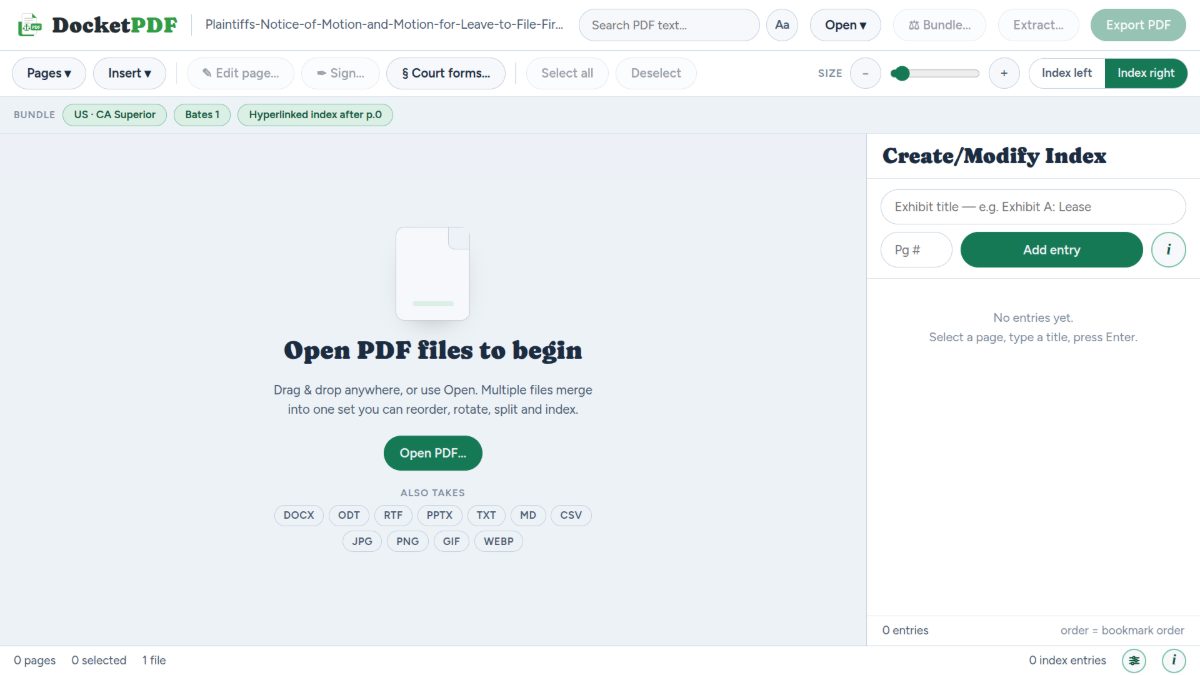
1 · Open everything
Drop in PDFs and they merge into one set. Word, OpenDocument, RTF, PowerPoint, text, Markdown, CSV and images all come in as pages too.
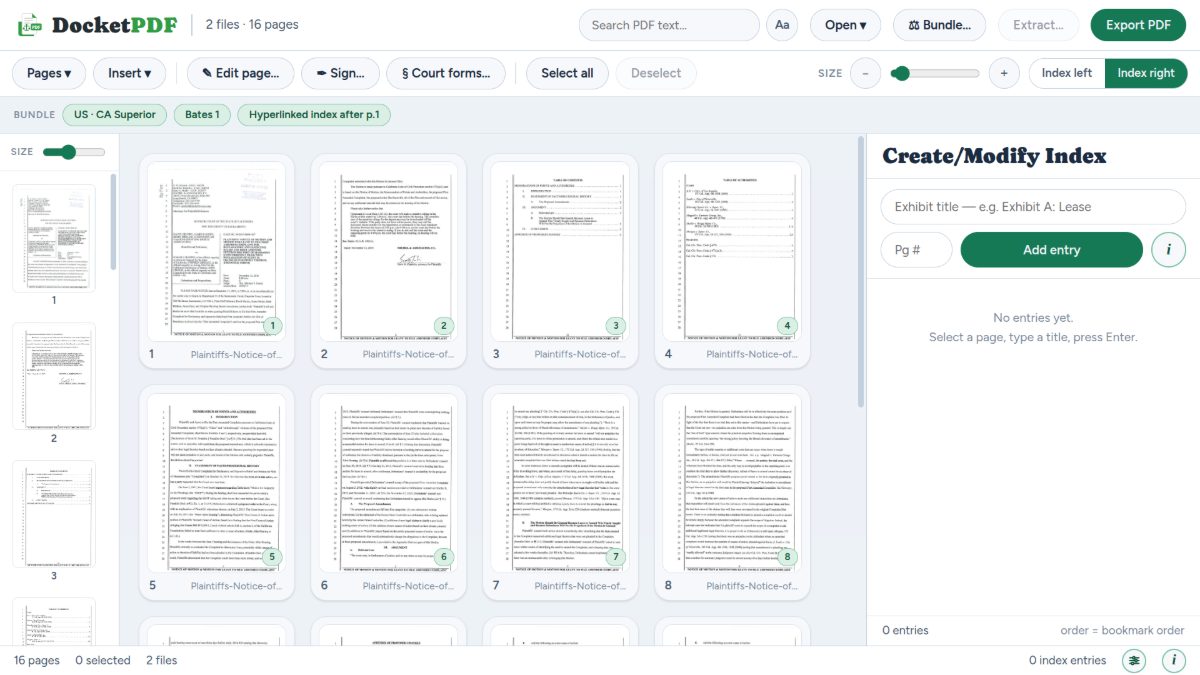
2 · Put it in order
Drag pages around the grid. Rotate, delete, split, insert a blank page or a lettered exhibit divider exactly where it belongs.
3 · Index and stamp it
Type an exhibit title, pick the page it starts on, press Enter. Numbering, bookmarks, the hyperlinked index page and Bates stamps follow from that one list.
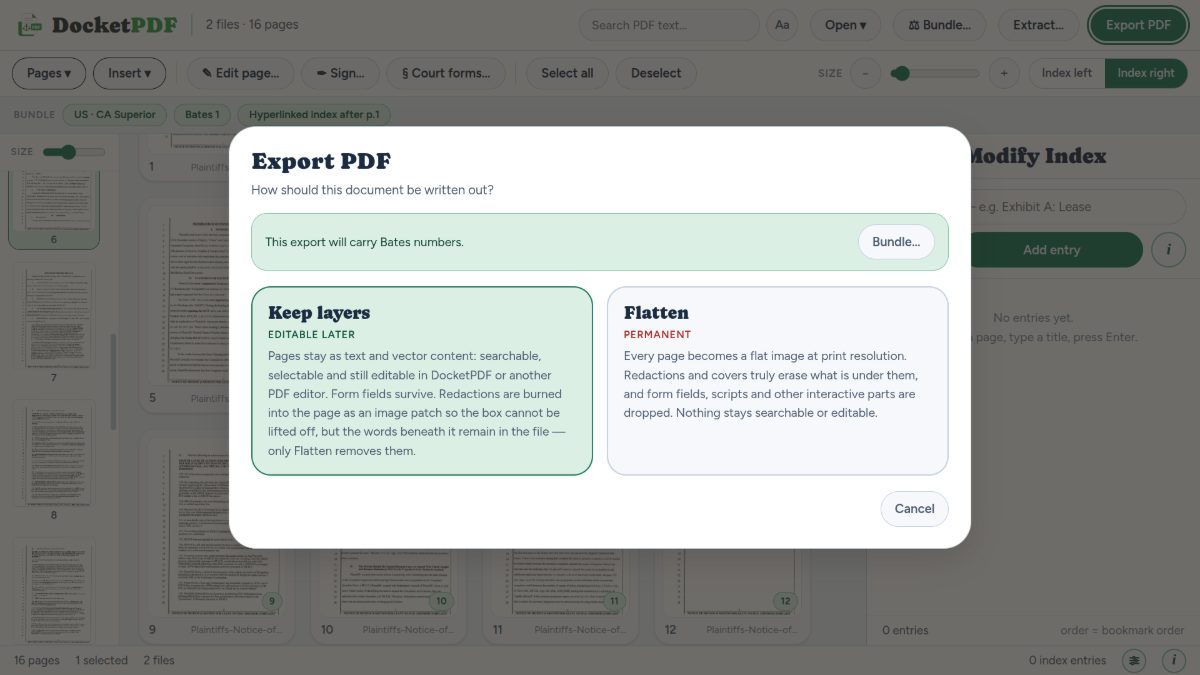
4 · Check, then export
The compliance check lists what the court asked for and what your bundle actually has. Fix the gaps, then write it out layered or flattened.
Compliance check
It reads the rules back to you before the clerk does.
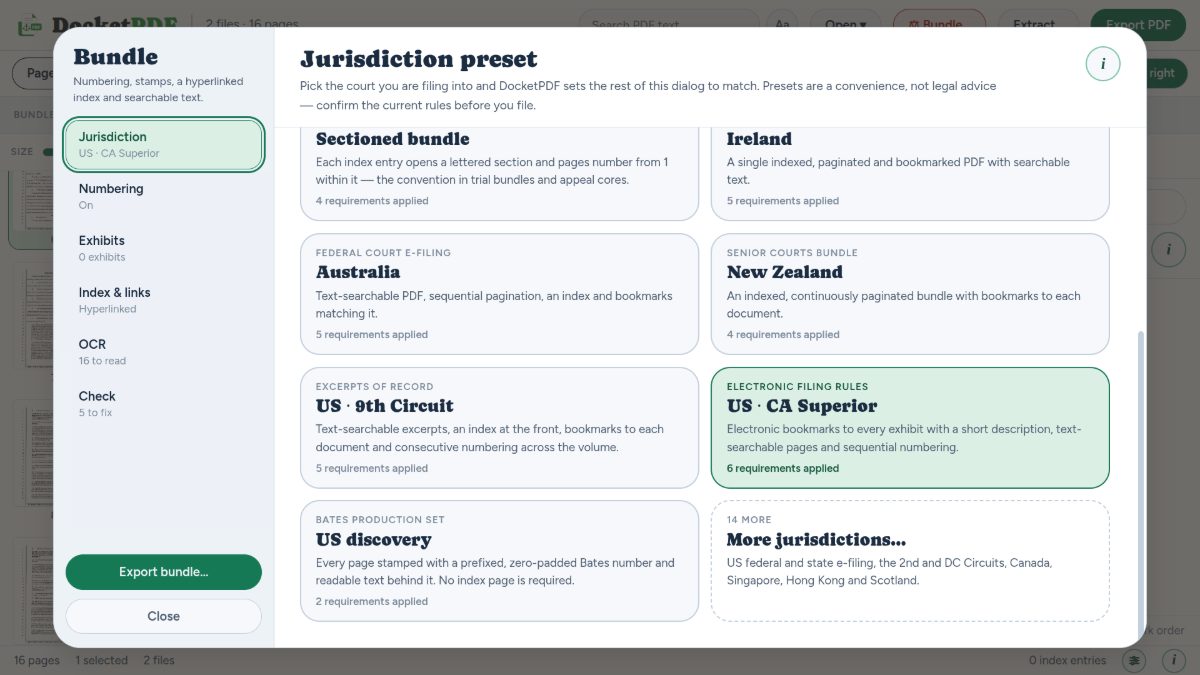
Pick the court you are filing into and DocketPDF™ sets numbering, index style, bookmark depth and searchable-text requirements to match. Then it grades your bundle against them, item by item, with a Fix button on anything unmet.
Presets are a convenience, not legal advice. Rules change, local rules exist, and judges have preferences. Confirm the current requirements before you file.
See every jurisdictionUS · CA Superior
6 requirementsBundle presets, out of the box
A hyperlinked index that stays true
Every row jumps to its document and becomes a bookmark. Reorder the pages and the numbers follow. Index left or index right, whichever way your eye works.
Bates numbers that land
Prefixed, zero-padded, stamped on every page with readable text behind it, so a produced set can still be searched and cited.
Redaction that removes
Draw a box, then burn it in. On a flattened export the words underneath genuinely stop existing — the app tells you plainly which export does which.
Scans you can quote
Reads the words off scanned pages in seven languages and lays an invisible text layer exactly behind the image, so search, selection and copy all work.
Signatures, drawn or scanned
Drop in a transparent PNG or draw with a mouse, stylus or finger. Drag to position, resize from the corners, rotate in fifteen-degree steps, then affix.
The forms, already found
A searchable library of court and tribunal forms across 27 jurisdictions, each with a check against the issuing court’s current version.
Where the work happens
Your documents stay on your machine. With one exception, and we will not bury it.
Opening, merging, reordering, editing, indexing, stamping, signing and exporting all run inside your browser. Nothing is uploaded for any of it.
Send it for signature without sending it anywhere.
Share a finished bundle with a link. The other side opens it in the browser, reads it, and signs — no printing, no scanning, no third-party e-signature bill.
They need a DocketPDF™ account to open it. A free one is enough, and takes about twenty seconds. That is deliberate: it is what ties a signature to a named, verified person instead of to whoever happened to receive an email.
Every open, view, download, signature and refusal is timestamped and logged with an IP address. Revoke the link at any time and it stops working immediately.
Declaration of T. Alvarez
2 of 3 signedExpires in 26 days · download allowed · watermarked with the viewer’s address
Four plans
Pick by how much you file.
Every plan gets the whole editor, the whole forms library and all twenty bundle presets. What changes is how much you export, how many seats, and which licence keys come with it.
Free
Everything but exporting.
No card. No expiry.
✓Every editing and bundling tool✓All 20 presets, full forms library✓Bates, compliance, redaction, signatures✓100 OCR pages a month—Exporting locked until you unlock it
DocketBasic
One case at a time, done properly.
$180.00 billed yearly — $60.00 less than paying monthly
Billed monthly. Cancel any time.
✓30 exported PDFs a month✓500 OCR pages a month✓Linux AppImage licence key✓Email support, two business days
DocketPro
A working caseload with room to breathe.
$500.00 billed yearly — $220.00 less than paying monthly
Billed monthly. Cancel any time.
✓300 exported PDFs a month✓2,000 OCR pages a month✓Android and Linux licence keys✓Sharing and e-signature requests✓Priority support, one business day